 Squiggle Zoo: Learn Origami
Fold an animal with an owl teacher.
Then watch it open its eyes.
A first origami app where your child folds paper with one finger, copying a friendly owl teacher one fold at a time. Each finished animal opens its eyes, says hello and joins a little zoo on your child's desk. For ages 3 to 6.

How it works
1. Fold along with Hoot
Hoot the owl folds first on her own small sheet, and your child copies the fold on the big sheet. The corner to fold glows and an arrow shows where it goes, so children who can't read yet can follow along. Drag the corner, or tap the corner and then the spot it goes to.
 2. Eyes open, hop!
When the last fold is done, the animal opens its eyes, says hello and gives a little hop. For animals that are just a face, Hoot folds a body and your child places the face on it. Swipe to turn the animal and look at it from the front, the side and the back.
 3. A zoo on the desk
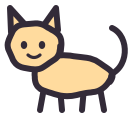
Finished animals take their own seats on the desk. Tap one and it hops, makes its sound or tilts its head. Fold any animal again, in a new color, as many times as you like (the animal's usual color or one of 8 paper colors).
No red crosses, no "wrong" sounds. Tap "Unfold" to go back one fold and try again. If your child gets stuck, Hoot shows the fold again or offers to fold together; the last little push is always your child's. The teacher never gives scores. When an animal is finished, she names one good thing about it.
Animals
12 in all. Dog, Cat and Rabbit are free, start to finish. The other 9 (Fox, Fish, Butterfly, Cicada, Pig, Bear, Whale, Panda and Penguin) come with "All Animals", a one-time purchase that supports Family Sharing. Until then, they wait on the desk as white paper in a wrapper.
For parents
- No ads. Your child's work and play are never collected or sent to the developer. No account needed
- Play works offline. The app connects to the App Store only from the parents' page: to buy All Animals, show its price, restore the purchase, or open our other apps
- No camera, no microphone, no photo library. Nothing is saved to Photos or shared
- The purchase and our other apps are only on the parents' page (called "For Grown-ups" in the app), behind a multiplication question for grown-ups
- Hoot's words appear as short captions on screen (there is no spoken narration). Sound effects and animal sounds follow Silent Mode and never stop music from other apps
- When the bedtime timer runs out (off, or 10 to 30 minutes; 15 minutes by default), the desk lamp dims and Hoot says goodnight. It never turns off in the middle of a fold. It's a gentle cue, not a lock. For a firm limit on play time, use Screen Time in your device's Settings to set a limit for this app alone
- Settings for feedback (how strong sounds and vibrations are), handedness (which side the teacher sits), how a body is added, letting the teacher fold each step for your child, and more
- Japanese and English
Accessibility
- VoiceOver (it reads which step you're on and which corner to fold where; double-tap to fold. Hoot's captions are read too)
- Full keyboard access (press Space to fold on Mac)
- Larger Text, Dark Mode, Increase Contrast and Reduce Motion
- Paper colors differ from the desk in brightness, not just in hue
Questions
- What age is it for?
- It is made mainly for children aged 3 to 6. The dog takes just 3 folds. Hoot shows every fold, so reading is not needed.
- Is it free?
- Dog, Cat and Rabbit are free, start to finish. The other nine animals come with "All Animals", a one-time purchase. There is no subscription.
- Which devices does it run on?
- iPhone with iOS 26 or later, iPad with iPadOS 26 or later, and Mac with Apple silicon. On iPhone and iPad it works in any orientation, in Split View and in Stage Manager windows.
- Do we need real paper?
- No. Your child folds the paper on the screen with a finger.
- What about ads and personal data?
- There are no ads, and your child's work and play are never collected or sent to the developer. See the Privacy Policy.
- Does it work without the internet?
- All play works offline. The app connects to the App Store only from the parents' page: to buy All Animals, show its price, restore the purchase, or open our other apps.
For restoring purchases, moving to a new device, sound and more, see Support.